ATTENTION! MST2 activator by Congo & Duke with autobackup: Unit could be bricked
SD Activator by Congo & Duke
BEFORE YOU READ FURTHER:
- On VW, press and hold
MENUbutton on the display of your MIB2 for 3 seconds and then go toSoftware Update/Versionsand take a look atSW Trainstring.
On Audi use corresponding [button combo](/General information/Useful documents/Key combinations and shortcuts/) to open RED menu and then look into Versions info
2. 2 On VW, go to MST2 and take a look at D string (on Audi take a look into MST2_EU_VW_P0891D).
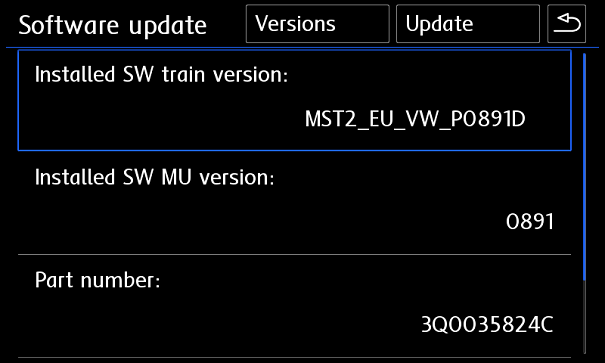
If your SW Train ends with T (for example MST2_EU_VW_ZR_P0254T) your unit is Technisat/Preh for which you need [MIB STD2 PQ/ZR Toolbox](/MST2 TechniSat Preh/SWaP patch/)).
If you want to see more details about your SW Train, use http://mib-helper.com
Supported firmwares (trains)
All Audi and VW firmwares of any region with train matching patternMST2_xx_xx_xxxxxD
Tested and confirmed FW versions: P0120D, P0123D, E0220D, P0225D, P0227D, E0231D, P0314D, P0628D, P0631D, P0635D, P0642D, P9122D, P0867D, P0870D, P0876D, P0890D, P0891D, P0879D, P0883D
Installation
- Format quality 4Gb+ SD card in
FAT32with the smallestcluster sizepossible ( usually4096 bytes) - Unpack activator with autobackup onto the SD card and make sure metainfo2.txt is in the root.
Removing DTC error 1555 (B201A fault)
After installation you will see DTC 1555 also known asB201A fault code in block 5F. To remove/clear it, read